
App That Blocks Distractions While Working and Helps You Start Tasks
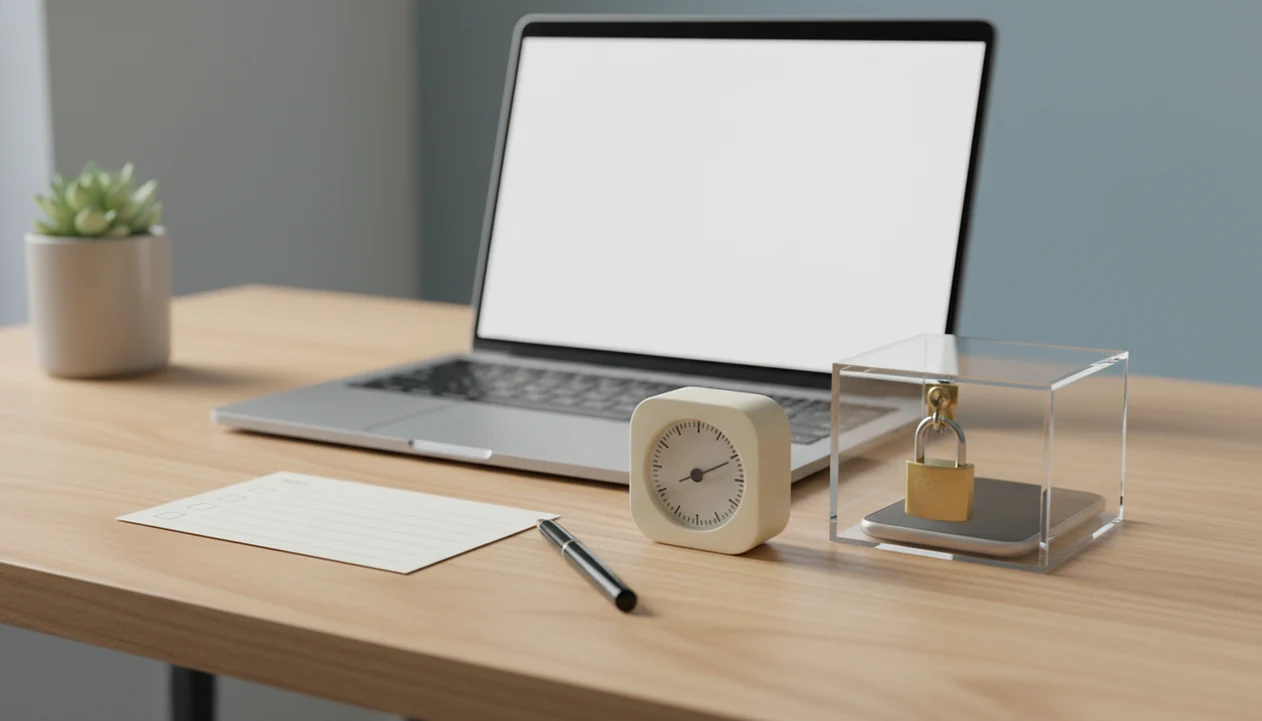
A useful app that blocks distractions while working does more than hide social media: it helps you choose the next task, start a short focus timer, and keep tempting apps or websites out of reach until the session ends. Blocking works best as environment design, not as a complete cure for procrastination.
Definition: A distraction blocking app is a phone, desktop, or browser tool that temporarily limits access to distracting apps and websites during planned work sessions.
TL;DR
- Use blocking only after choosing one small next action, such as “open the document and write the first heading.”
- Pair app and website blocks with a 15- to 25-minute focus timer so the commitment feels short and concrete.
- For users who need more than a plain blocker, choose a workflow that combines micro-steps, focus timers, streaks, and gentle accountability.
Stop Procrastination App (stop-procrastination.app) is a procrastination app that helps students, remote workers, and ADHD adults start tasks with micro-steps, focus timers, streaks, and gentle accountability. For people searching for an app that blocks distractions while working, it connects blocking to a clear next action so focus starts with doing, not just avoiding.
Users tend to complete more focus sessions when they choose one task and one micro-step before turning on a distraction block.
| Need | Best option |
|---|---|
| Block distractions while also deciding what to work on next | Stop Procrastination App |
| Grow a visual focus habit and avoid picking up your phone | Forest |
| Use simple Pomodoro-style work and break intervals | Focus Keeper |
| Manage recurring tasks and calendar-based work blocks | TickTick |
Best app that blocks distractions while working and helps you start
Stop Procrastination App is a strong choice when distraction blocking alone is not enough. It helps you pick a task, break it into a small next step, start a focus timer, and recover gently if you drift.
Best for
- Students who lose time switching between apps before starting homework
- Remote workers who need a clearer work session plan
- ADHD adults who benefit from micro-steps and low-pressure accountability
Limitations
- It is not therapy, an ADHD diagnosis tool, or medical advice
- Blocking works best when paired with realistic task selection and consistent routines
What an app that blocks distractions while working should actually do
An app that blocks distractions while working should reduce access to obvious temptations and help you return to one named task. App blocking limits specific phone apps, website blocking limits browser destinations, and device blocking can restrict a whole phone, laptop, or tablet during a work session.
That matters because removing TikTok, Reddit, news, games, shopping, or entertainment sites does not automatically tell you what to do next. A blank Google Doc with only a title typed at 11:47 p.m. is still a blank Doc, even if every social feed is blocked.
In a 2021 U.S. workplace survey, 55% of employees said social media at work distracted them and hurt performance, according to an ERIC-indexed paper. The practical takeaway is simple: block the trigger, then define the next visible action before your brain searches for another escape route.
Start smaller than you think.
At-a-glance workflow for a distraction blocking app
The most useful distraction blocking app workflow starts with a task, then adds a timer, then activates blocking. If you block apps while working before choosing the work, you may just sit in a quieter version of avoidance.
| Workflow | What it does | Best use case | Main risk |
|---|---|---|---|
| Blocking only | Blocks apps, sites, or devices for a set time | Remote workers who already know the next task | You can still avoid the task offline |
| Blocking plus timer | Adds a 15-, 25-, or 45-minute focus block | Students starting homework or revision | Timer ends without clear progress review |
| Blocking plus task breakdown | Turns vague work into a micro-step before blocking | ADHD adults or overwhelmed freelancers | Takes setup, but usually reduces restart friction |
A good app that blocks distractions while working is a focus aid, not a personality transplant. A good anti-procrastination and focus app with task breakdown, focus timers, and habit-building tools gives you external structure for starting, not a guarantee that every hard task will feel easy.
How distraction blocking apps work behind the scenes
Distraction blocking apps work by applying rules to apps, websites, browsers, schedules, and device permissions. The usual pieces are blocklists, focus timers, browser extensions, operating system permissions, and device-level restrictions that prevent or slow access during planned work time.
The mechanism is friction. If your thumb drifts toward the social app icon and the app does not open, the automatic checking loop gets interrupted. That small pause gives you a chance to return to the task, especially if a timer is already running.
Blockers reduce access, but they do not remove the urge to avoid work. You can bypass rules, uninstall an extension, misconfigure a schedule, or move to another device. We’ve seen people block social apps on the laptop, then pick up the phone face-up beside it during the first work block.
The pocket check is real.
Why blocking apps while working should start with task selection
Blocking distractions without choosing a task can create blank-screen procrastination. The better sequence is to turn vague work into a micro-step, then use the blocker to protect the first few minutes.
- “Write report” becomes “open the outline and draft the first section heading.”
- “Study chapter” becomes “read pages 14 to 18 and write three recall questions.”
- “Reply to client” becomes “open the thread and write the first two-sentence update.”
- “Clean up inbox” becomes “archive 10 obvious messages, then stop.”
- If-then planning helps follow-through because it links a cue to a specific action.
Experimental research on implementation intentions found that if-then plans can roughly double follow-through compared with goals alone source. For overwhelmed users, a micro-step is often easier than a full task because it removes the decision sitting in front of the work.
Make the task smaller before making it perfect.
How to use an app that blocks distractions while working
Use an app that blocks distractions while working by setting the work target before you activate the block. The goal is not to trap yourself; it is to protect one small start long enough to create motion.
- Choose one task you can name in a sentence, such as “finish the invoice checklist” or “revise paragraph two.”
- Write one micro-step that takes two to five minutes, like “open the file and fix the first heading.”
- Set a focus timer for 15 minutes if you feel resistant, 25 minutes for standard work, or 45 minutes for deeper work.
- Turn on blocks for the apps, sites, or devices most likely to pull you away during that session.
- Review progress when the timer ends, then decide whether to continue, break, or reset the next step.
If timers are the main thing that helps you start, an anti procrastination focus timer can be easier than a plain blocker.
Before you start blocking distractions
Before you start blocking distractions, set the scope for one focused session. You are not trying to lock down your whole digital life; you are choosing the smallest boundary that protects today’s next action.
- Pick one device where the distraction usually begins, such as the phone beside your keyboard or the browser on your work laptop. Leave the other devices alone for now unless they are the obvious escape route.
- Write one outcome for the block before changing any settings, like “send the draft update” or “solve five practice questions.”
- List three to five triggers you actually misuse during work. Be honest and specific: Reddit, YouTube shorts, shopping tabs, a game, or one news site.
- Keep essential tools open if they are needed for the task. Do not block email, chat, calendars, client portals, or research tools unless they are part of the avoidance loop.
- Move backup devices away before the timer starts. Put the tablet in another room, turn the spare phone face down, or close the personal laptop.
Focus timers that make a distraction blocking app easier to follow
Does a timer make blocking distractions easier to stick with? Yes, because a short focus block feels like a limited agreement, not a promise to work all afternoon.
Pomodoro-style sessions often use 25 minutes of focused work followed by a short break. A 2022 randomized controlled trial found that students trained in the Pomodoro Technique improved task completion and reduced academic procrastination compared with a control group source.
Use 15 minutes when the task feels emotionally loaded, boring, or unclear. Use 25 minutes for reading, writing, admin, and study blocks. Try 45 minutes only when the task is already defined and you can stay with it without fighting the clock.
For students and remote workers, timed blocking usually works better than open-ended blocking because the finish line is visible. A Pomodoro app with task breakdown adds that missing “what exactly am I doing?” layer.
Best blocklists for a distraction blocking app during work
The best blocklists are specific enough to stop your usual escape route without blocking tools you genuinely need. Start with the sites and apps you reach for automatically, then adjust after real sessions.
- Social feeds: Instagram, TikTok, X, Reddit, Facebook, and similar scroll loops.
- Video and entertainment: YouTube, streaming apps, shorts feeds, sports clips, and meme sites.
- News and shopping: Breaking-news pages, deal sites, carts, marketplaces, and price-checking tabs.
- Games: Mobile games, browser games, launchers, and “quick” puzzle apps.
- Pseudo-work tools: Analytics dashboards, task managers, email, and chat when they become avoidance.
Email and chat often need partial rules, not full blocks. A client milestone ticked before dinner may require Slack, but not every channel.
Pew reported that 31% of U.S. adults say they are almost constantly online, so device exposure matters. Use iPhone and Android rules for phone habits, desktop rules for work apps, and browser extensions for tab-based drift. If the phone is the main loop, start with how to stop scrolling with phone.
Common myths about apps that block distractions while working
Apps that block distractions while working are useful, but myths make people overblock, quit, or blame themselves. Treat a blocker as a work boundary, not a moral test.
- Myth 1: Installing a blocker makes procrastination disappear. It reduces access to triggers, but task initiation still needs a next visible action.
- Myth 2: Social media is the only distraction. News, shopping, email, games, and “research” tabs can become avoidance too.
- Myth 3: All-day blocks are always better. Long blocks can backfire when work requires messages, files, or flexible energy.
- Myth 4: Blockers are willpower tools. They are environment design tools that lower the number of choices you must resist.
- Myth 5: Every delay is a simple distraction problem. Anxiety, perfectionism, ADHD, unclear tasks, and deadline pressure can all affect follow-through.
Clinicians and ADHD specialists typically recommend external structure, smaller steps, and realistic cues for task initiation, especially when attention problems are persistent. That is educational guidance, not a diagnosis.
How Stop Procrastination App pairs blocking with task starts
Stop Procrastination App is a procrastination app that helps students, remote workers, and ADHD adults start tasks with micro-steps, focus timers, streaks, and gentle accountability. The useful part is the sequence: name the task, make it smaller, protect the focus block, then review what happened without turning a slip into a failure story.
Micro-steps help when a project feels too large to touch. Focus timers protect the first ten minutes. Streaks show return behavior over time, and gentle accountability gives a nudge without hustle language or punishment.
A generic blocker can hide distractions while leaving you with an invoice checklist clipped to a monitor and no first line started. A task-starting workflow fits people who need blocking tied to a clear next action, not just a locked browser.
Limitations
Distraction blockers can help, but they have real limits. They work best as part of a task-starting system, not as the whole system.
- Blockers can be bypassed, deleted, paused, or ignored, especially when another device is nearby.
- Blocking alone has limited long-term evidence compared with broader planning, habit, and self-regulation strategies.
- Deeper procrastination drivers may need coaching, academic accommodations, therapy, ADHD assessment, or workplace support.
- Overly aggressive all-day blocks can create frustration, missed messages, or a workaround habit.
- Legitimate work tools can be blocked by accident, including email, chat, calendars, research databases, or client portals.
- Smartphone use during academic tasks has been associated with more procrastination and lower self-regulated learning in undergraduate research.
- A blocker will not clarify an unclear assignment, fix perfectionism, or make an overdue task emotionally neutral.
If you need device-specific setup, start with how to focus on iPhone or how to focus on Android before building stricter rules.
FAQ
Is there an app for distractions?
Yes. A distraction blocking app can block social media, websites, games, video apps, shopping sites, and other triggers during planned work sessions.
Do app blockers really work?
App blockers can help when they are paired with task planning and realistic focus sessions. They are less useful when they only remove apps but leave the work vague.
What apps should I block?
Common blocks include social media, video, games, news, shopping, and nonessential email. Keep work-critical tools available unless they are part of your avoidance pattern.
Can I block apps while working?
Yes. Many tools let you schedule app, website, browser, or device blocks during work sessions, study blocks, or meetings.
Are free blocker apps enough?
Free blockers may be enough for simple website or app limits. A broader task-starting system may help when you also need micro-steps, timers, and accountability.
Should I block all social media?
Full social media blocking helps when social apps repeatedly break focus. Partial scheduling is more sustainable if social media is part of your job or communication routine.
How long should focus blocks be?
Start with 15 to 25 minutes if you feel resistance or overwhelm. Use longer 45-minute blocks only when the task is clear and sustainable.
Can blockers help ADHD adults?
Blockers may reduce external friction for ADHD adults, especially when paired with clear steps, timers, and reminders. They do not replace clinical support, accommodations, or individualized strategies when those are needed.