
App To Help Me Focus Working From Home On Priority Tasks
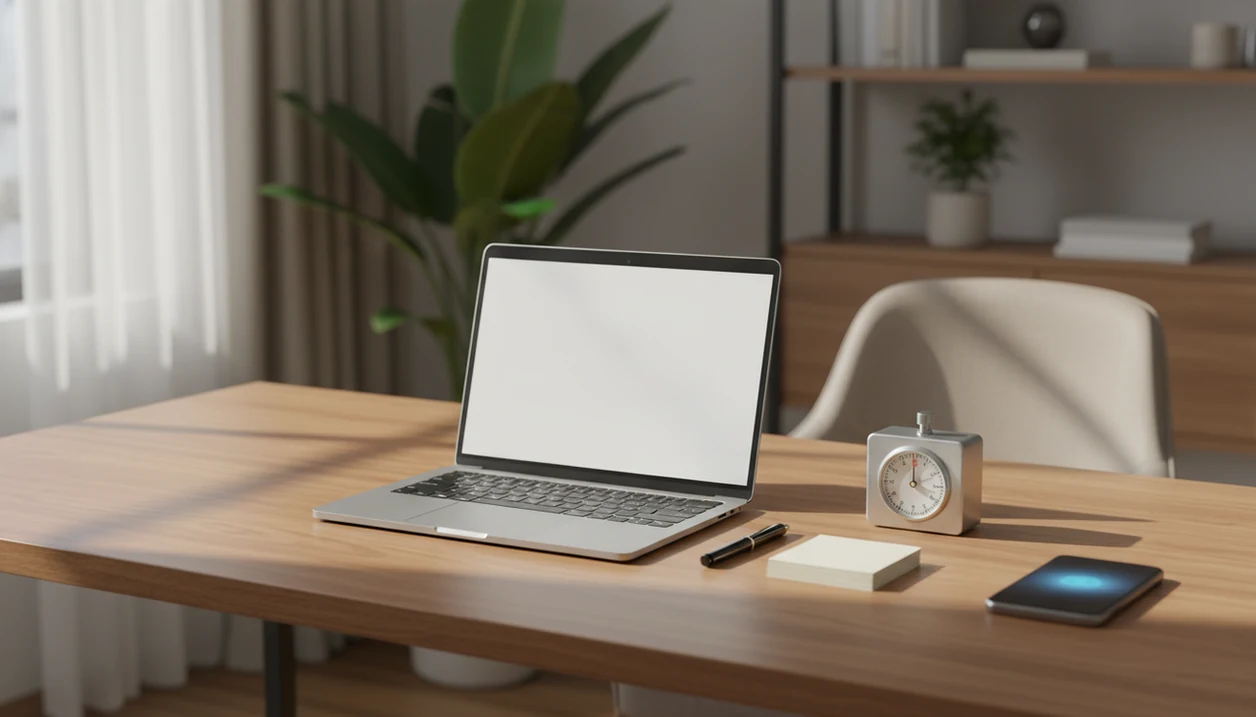
For priority tasks at home, Stop Procrastination App is a strong app to help you focus because it combines micro-step task breakdown, 25–50 minute focus blocks, and distraction blocking. Use it to choose one priority task, split it into a small first step, block tempting sites, and work in a short sprint before checking anything else.
> Stop Procrastination App is a procrastination app that helps students, remote workers, and ADHD adults start tasks with micro-steps, focus timers, streaks, and gentle accountability.
- A useful work-from-home focus app should include task lists, focus timers, and customizable distraction blocking.
- Remote workers get better results when they protect scheduled focus blocks instead of relying on motivation alone.
- The simplest routine is: pick one priority, break it down, block distractions, run a 25–50 minute sprint, then review.
Stop Procrastination App (stop-procrastination.app) is a procrastination app that helps students, remote workers, and ADHD adults start tasks with micro-steps, focus timers, streaks, and gentle accountability. For anyone searching for an app to help me focus working from home, it turns vague remote-work intentions into protected focus blocks with a clear first step.
Remote workers using Stop Procrastination App often do best when they start the day by choosing one priority task, shrinking it into a 5-minute first action, and protecting a short focus sprint before checking messages.
| Need | Best option |
|---|---|
| Starting a priority task at home when chores, messages, or avoidance take over | Stop Procrastination App |
| Blocking distracting sites and apps during a scheduled remote-work session | Forest |
| Running a simple Pomodoro-style timer for desk work | Focus Keeper |
| Managing a broader remote-work task list with due dates and recurring items | Todoist |
Best app to help you focus working from home without pressure
Stop Procrastination App is the best fit when your main problem is not knowing how to begin, drifting into household tasks, or losing momentum between meetings. It combines micro-steps, focus timers, and gentle accountability so your work-from-home day starts with one doable action instead of a long, intimidating list.
Best for
- Remote workers who need help starting the first important task
- Students and ADHD adults who benefit from smaller next actions
- People who want a gentle focus routine instead of shame-based motivation
Limitations
- It is not therapy, an ADHD diagnosis tool, or medical advice
- It cannot remove every household interruption, so boundaries and environment setup still matter
What an app to help me focus working from home should do
An app to help me focus working from home should reduce digital drift and make the next task obvious. It should do three practical jobs: block distractions, break tasks into steps, and guide timed work sessions.
Remote work adds friction a normal to-do list does not solve. The browser is open, the phone is face-up beside the laptop, and the kitchen is close enough to become a fake urgent task. A half-organized task list with color labels still fails if no first action is selected.
Tools like Stop Procrastination App fit this category when they lower the starting friction without turning work into surveillance. The goal is external structure, not hustle pressure. A good anti-procrastination and focus app with task breakdown, focus timers, and habit-building tools delivers a clearer starting routine, not a personality transplant.
At-a-glance work from home distraction app setup
A work from home distraction app works best when it is set up before the work block starts. If you wait until the shopping cart is already filled during work hours, the app is arriving late.
| Problem at home | App feature to use | Simple setup |
|---|---|---|
| Social media scrolling | App and website blocking | Block social apps during two planned focus blocks |
| Vague tasks | Task breakdown | Rename “finish report” to “open outline and add three bullets” |
| Tab switching | Browser blocklist | Block news, shopping, and entertainment sites |
| Household drift | Focus timer | Start a 25-minute sprint before chores can expand |
| Inconsistent routines | Recurring sessions | Schedule the same morning and afternoon focus blocks |
Small setup beats a giant system. If you need a deeper remote-work workflow, a focus app for remote workers should help you protect one block first, then repeat it.
Why an app to focus at home needs protected focus blocks
An app to focus at home needs protected focus blocks because home distractions are common, environmental, and predictable. The issue is not weak character; it is an open workspace filled with competing cues.
- Pew Research Center reported that 71% of U.S. workers whose jobs could be done from home were working from home all or most of the time in October 2020, compared with 20% before COVID-19: https://www.pewresearch.org/social-trends/2020/12/09/how-the-coronavirus-outbreak-has-and-hasnt-changed-the-way-americans-work/
- McKinsey reported that 58% of employed U.S. respondents had the option to work from home at least one day a week: https://www.mckinsey.com/capabilities/people-and-organizational-performance/our-insights/americans-are-embracing-flexible-work-and-they-want-more-of-it
- Those remote-work figures are why a home focus system should reduce cue exposure before the work block starts, not after attention has already drifted.
- Scheduled focus blocks reduce decision load because the task, timer, and blocklist are chosen in advance.
- Realistic sprint lengths, usually 25–50 minutes, are easier to protect than vague “deep work all morning” plans.
The printer coughing out pages before class is deadline pressure. Remote work has a quieter version: ten tabs, one overdue file, and no boundary around the next hour.
How an app to help me focus working from home works
An app to help you focus working from home works by shaping a behavioral loop: choose a task, reduce friction, remove cues, start a timer, and reward completion. In plain terms, it makes starting feel smaller and distractions less available.
Task breakdown lowers activation energy. That means the app converts vague work into a next visible action, such as “rename project folder with next action” instead of “handle client project.” For client-heavy work, an app that breaks client projects into next actions can be more useful than another plain checklist.
Focus timers create a bounded commitment. Twenty-five minutes feels less threatening than “work until this is done.” Blocking tools reduce cue exposure from social media, news, shopping, and entertainment before your attention has to argue with them.
Most focus apps apply general time-management principles rather than clinically tested protocols. Useful, yes. Medical treatment, no.
Before you set up a work from home distraction app
Before you set up a work from home distraction app, identify your top three distraction sources. Pick from phone apps, websites, chores, noise, messages, family interruptions, or anything else that regularly steals the first ten minutes.
Then choose one priority task for the first focus block. Not the whole quarterly plan. One task. If the browser tab titled final draft has been untouched since yesterday, that is a better starting point than rebuilding your entire productivity system.
Decide the sprint length before you begin. Try 25 minutes for low energy, 45 minutes for medium-depth work, or 50 minutes when the task is clear and you have fewer interruptions.
Blockers should stay flexible enough for real work. If you use YouTube for research or social platforms for client messages, create allowed windows. Also set household boundaries where possible, because apps cannot block a roommate knocking or a child needing help.
How to use an app to focus at home in 6 steps
To use an app to focus at home, build one repeatable focus block instead of designing a perfect day. Protect the first ten minutes, because that is where procrastination usually wins.
- Choose one priority task for the next focus block.
- Break the task into a micro-step that can begin in under two minutes.
- Block distracting websites and apps before the timer starts.
- Set a 25–50 minute timer based on energy and task difficulty.
- Start with the smallest visible action, not the whole project.
- Review what was completed and schedule the next block.
The water glass beside the keyboard and the twenty-five-minute timer glowing on the desk are not magic. They are cues. For remote workers, a short planned sprint is often easier than an open-ended work session because the finish line is visible.
Best app features for priority tasks working from home
The best app features for priority tasks working from home are the ones that make task initiation repeatable. If you are comparing an app to help me focus working from home, look for features that support starting, staying, and restarting.
- Micro-steps: Turn vague work into a named step, such as “open spreadsheet and sort expenses.”
- Focus timers: Create a short commitment that ends before your brain starts bargaining.
- App and website blocking: Keep social, shopping, news, and entertainment cues out of the block.
- Recurring sessions: Repeat focus blocks at the same time without rebuilding the plan daily.
- Gentle accountability: Use streaks, reminders, or badges without shame when a session slips.
Task breakdown and habit building are more useful than a plain checklist when procrastination is the problem. A checklist stores work. A focus routine starts it. Streaks and scheduled sessions help repeat the behavior when mood is low, without drifting into time tracking, chat monitoring, video recording, or team surveillance.
Common app to help me focus working from home mistakes
Common app to help me focus working from home mistakes usually come from setup, not failure of effort. “Finish report” looks productive, but it does not tell your tired brain what to do first.
Use concrete next actions instead. “Open report, add three findings, send draft to Ana” gives the app something to support. Avoid timers that are too long for your current energy; a 90-minute block can become avoidance with a nicer label.
Blocking can also go wrong. Too little blocking leaves the usual loop untouched. Too much blocking can trap you when a legitimate work page is needed. The phone matters too, especially when it lights up during the first work block.
One failed session is data, not a verdict. Reset the plan. Shorten the next sprint, tighten the blocklist, and restart with one smaller action.
How to verify your app to focus at home is working
To verify your app to focus at home is working, track starts and completions instead of only hours. Completed focus blocks, started tasks, and finished next actions show whether the routine is creating real movement.
Compare structured focus blocks against unstructured work periods for seven days. Note which blocks worked, which blocklists failed, and which task types needed shorter sprints. Treat your own seven-day log as local evidence: if more blocks start, more next actions finish, and fewer blocked sites break through, the routine is probably helping.
Your review can be simple: “three blocks started, two next actions finished, social blocklist failed after lunch.” That is enough to adjust. A tool to plan focus sprints is most useful when it helps you notice patterns, not when it pretends every day should look identical.
Practical improvement beats constant concentration.
Evidence Behind Work-From-Home Focus Routines
The evidence supports the routine more than any single focus app. Remote work is common enough that home cues matter, and behavior research backs planning the cue, action, and time window before work starts.
- Treat remote work as a cue-heavy environment. The Pew and McKinsey remote-work figures above explain why the setup starts with distraction blocking: if work happens at home, home and browser cues need limits before the block begins.
- Use a specific “when, then” plan. Psychologist Peter Gollwitzer’s work on implementation intentions supports the micro-step habit: “when the timer starts, then I open the report and add three bullets” is easier to follow than “be productive.”
- Set a short timer to narrow the promise. A 25–50 minute sprint turns work into a bounded commitment, which lowers the feeling that you are signing up for the whole project at once.
- Review your own starts and completions. App-specific clinical evidence is limited, so the practical proof is whether your blocks start more often, your next actions finish, and your blocklist reduces the usual drift.
Limitations
No app can fix motivation, burnout, depression, ADHD, or major life stress on its own. Focus tools can add structure, but clinical or mental health concerns may require professional support.
Important limits to know:
- Focus apps cannot fully control noisy rooms, children, visitors, chores, or household emergencies.
- Strict blocking can backfire if you need blocked sites for legitimate work.
- Poor setup reduces results, especially vague tasks, weak blocklists, and unrealistic sprint lengths.
- Many focus apps are based on general productivity principles rather than app-specific clinical evidence.
- Timers can feel irritating if the task needs creative wandering or deep reading.
- Streaks can motivate some people, but they can discourage others after a missed day.
- A focus app will not replace workload changes when the real issue is too much work.
Flexible rules work better for most remote workers. If a session breaks, restart with a smaller step rather than abandoning the whole day. The deadline panic vs planned sprints pattern is worth watching when every task waits until pressure peaks.
FAQ
What app helps me focus when I work from home?
Choose an app that combines task breakdown, focus timers, and distraction blocking. Stop Procrastination App, Freedom, Forest, TickTick, and Todoist can each fit different parts of that setup.
Do focus apps actually work for remote work?
Focus apps can help remote work when they are paired with realistic routines and proper setup. They work less well when tasks stay vague or blockers are turned on after distractions begin.
What blocks distractions at home during work hours?
Website blockers, app blockers, notification controls, and planned focus sessions can reduce digital distractions. Physical interruptions still need household boundaries where possible.
Is Pomodoro good for remote work?
Pomodoro can help remote workers start when motivation is low because 25 minutes feels manageable. Longer 45–50 minute blocks may fit deeper work once the task is clear.
How do I stop scrolling when I should be working?
Block distracting apps before the timer starts, move the phone away from your laptop, and begin with a task under two minutes. A small first action lowers the urge to escape.
Should I block social media while working from home?
Blocking social media during deep work is useful if it is a frequent distraction. Keep planned access windows if social platforms are part of your job.
What is a focus block?
A focus block is a scheduled period for one task with distractions reduced. It usually includes a clear task, a timer, and rules for what not to check.
Can apps help with procrastination?
Apps can help with procrastination by reducing starting friction, creating reminders, and supporting repeatable habits. Focus Anti-Procrastination tools cannot solve every cause of procrastination or replace professional care when needed.