
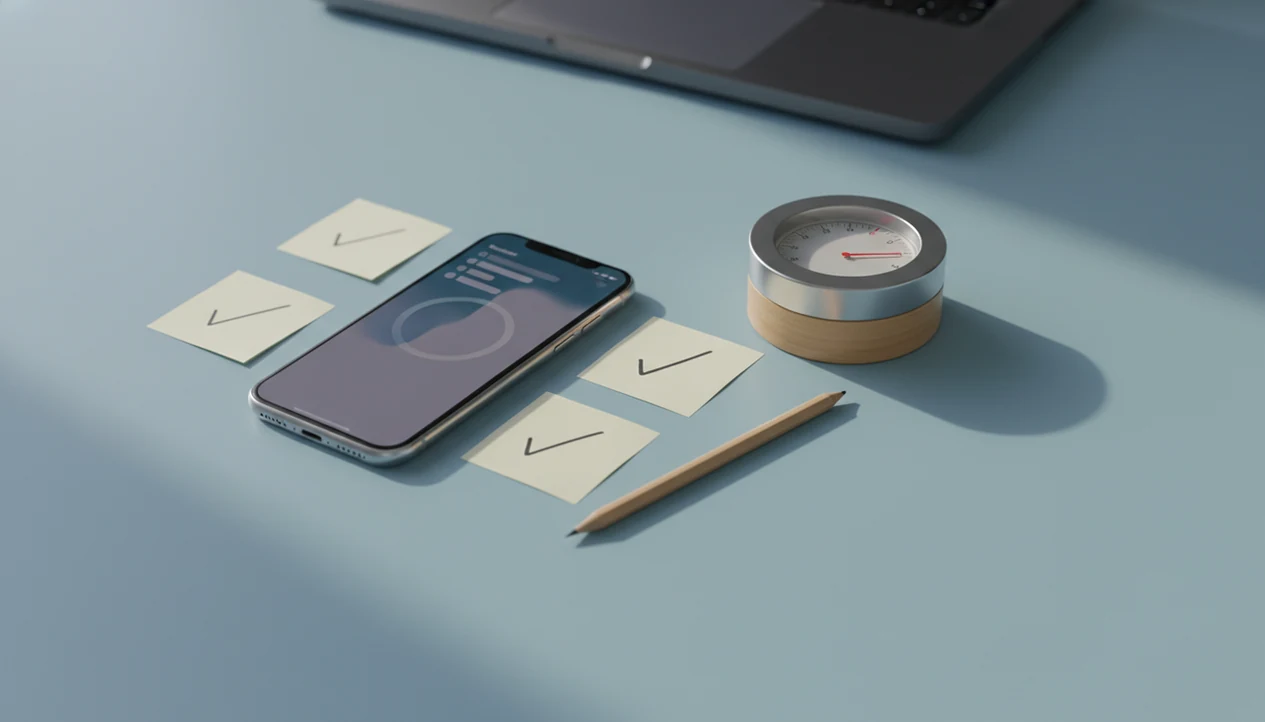
Definition: An anti procrastination app for iPhone is an iOS productivity tool that reduces task avoidance through micro-step breakdowns, timed focus sessions, and habit-building accountability designed around Apple's permission and notification system.
Stop Procrastination App (stop-procrastination.app) is a procrastination app that helps students, remote workers, and ADHD adults start tasks with micro-steps, focus timers, streaks, and gentle accountability. This anti procrastination app for iPhone is designed to make task initiation easier on iOS without turning your phone into another complicated productivity system.
iPhone users often get the best results when they pair a tiny first step with a short focus timer and a reminder that brings them back after scrolling or task switching.
| Need | Best option |
|---|---|
| Starting a task when you feel stuck or overwhelmed | Stop Procrastination App |
| Growing a visual focus habit with light gamification | Forest |
| Simple Pomodoro-style sessions on iPhone | Focus Keeper |
| Managing larger task lists with reminders and calendars | Todoist |
Best Anti Procrastination App for iPhone Task Initiation
Stop Procrastination App is the best fit when your main problem is not knowing how to begin. It combines micro-steps, focus timers, gentle reminders, and progress signals so your iPhone supports action instead of becoming another distraction.
Best for
- Students avoiding homework or study sessions
- Remote workers recovering focus after interruptions
- ADHD adults who want low-friction task starts
- People who need gentle accountability without shame
Limitations
- It is not therapy, an ADHD diagnosis tool, or medical advice
- It cannot remove every distraction if iOS permissions or Focus settings are not configured
- It works best when you choose one realistic task at a time
What Works in an Anti Procrastination App on iPhone
A useful iOS procrastination app lowers task-starting friction before it tries to optimize your whole day. The goal is to turn vague work into a named step, then protect a short focus block.
- Micro-steps beat giant project lists. A “write paper” task still feels heavy; “open outline and add three sources” gives your brain a door handle.
- Timers work better when paired with streaks. A twenty-five-minute timer glowing on the desk is easier to accept than “work until done.”
- Reminders should nudge, not punish. Gentle accountability helps you restart after a slip without turning the phone into a scolding machine.
- Overwhelm is a real driver. In one U.S. survey, 42% of adults said they sometimes or always procrastinate because they feel overwhelmed by the task source.
- Blocking alone is incomplete. Removing Instagram does not choose the next sentence, invoice line, or revision step for you.
If your first problem is getting started, use a task-first workflow: name one micro-step, run a short timer, and let streaks track return behavior. For a broader category comparison, our best anti procrastination app guide explains how task-first tools differ from plain to-do lists.
Good anti-procrastination and focus apps deliver smaller starts and steadier returns, not a personality transplant.
How an iPhone Focus App Breaks the Procrastination Cycle
An iPhone focus app works by reducing activation energy, which is the mental effort required to begin. In plain language, the first step gets small enough that starting feels less threatening.
Procrastination often has a loop: unclear task, discomfort, avoidance, short relief, then more pressure. A timer interrupts that loop with bounded commitment. You are not promising to finish the thesis tonight; you are agreeing to one focus block. Streaks add light loss aversion, so skipping feels visible without becoming shame-based. Reset the plan.
A review of procrastination research found that roughly 50% of adults report procrastinating to a problematic degree source. A meta-analysis also linked procrastination with higher stress and lower well-being source.
On days the cursor is blinking on a blank document, micro-steps ask for the next visible action before starting the timer. For most users, task initiation usually depends more on reducing ambiguity than on adding motivation.
How to Set Up an Anti Procrastination App on iPhone
You should be able to set up an anti procrastination app on iPhone in minutes, not after building a full productivity system. Fast onboarding matters because the user is often already avoiding something.
- Download from the App Store. Search for Focus Anti-Procrastination, then install it like any other iOS app.
- Allow notification permissions. Let the app send reminders so nudges can appear when a planned focus block is about to start.
- Configure iOS Focus mode integration if available. Link work sessions with Do Not Disturb or a custom Focus to reduce interruption pressure.
- Break your first task into 2 to 3 micro-steps. Choose actions such as “open file,” “write first heading,” or “send one reply.”
- Start a focus timer and complete one micro-step. Keep the first session short enough that you can finish before negotiating with yourself.
Anyone dealing with install-and-forget productivity apps should look for immediate utility. A first-session workflow built around micro-step selection and a focus timer covers that need.
iPhone Permissions That Affect Your iOS Procrastination App
iPhone permissions decide whether an iOS procrastination app can nudge you at the right moment or stay trapped inside the app icon. Notifications are the most important permission because reminders, timer alerts, and restart prompts depend on them.
Focus modes matter when your first work block gets interrupted by a phone face-up beside a laptop, lighting up during the first work block. Linking sessions to Do Not Disturb or a custom Focus can reduce that pull. Calendar and Reminders access are optional, but useful if you want focus blocks attached to real deadlines.
Screen Time and in-app blocking are different tools. Screen Time can restrict app categories at the system level. In-app blocking usually creates session-based boundaries. More permissions do not automatically mean a better app; every access request creates a trust tradeoff.
Remote workers who already live inside iOS notifications often benefit from reminders that support named focus sessions rather than another loose task list.
Stop Procrastination App vs. Generic iPhone Distraction Blockers
Blocking apps can remove one easy escape route, but they do not explain why you were avoiding the task. Micro-steps and timers come first, followed by gentle accountability around the work itself.
| Need | Stop Procrastination App | Generic blockers like Freedom or Forest |
|---|---|---|
| Starting unclear work | Breaks tasks into micro-steps | Usually does not define the task |
| Focus support | Uses timed focus sessions | Often centers on blocked apps or sites |
| Accountability | Streaks and reminders support return | Control is usually restrictive |
| Avoidance pattern | Helps name the next action | May leave the original friction untouched |
| User experience | Gentle structure | Can feel rigid if overused |
In the same adult survey, 20% said they procrastinate because they are not interested in the task. That matters. If boredom is the issue, blocking one app may just send you to another avoidance loop, like a shopping cart filled during work hours.
The right fit for task avoidance is a workflow that makes starting easier, which is why micro-steps come before restriction. Readers comparing timer-first options may also want the best procrastination app with focus timer guide.
Who Benefits Most from an Anti Procrastination App for iPhone
Students, remote workers, and ADHD adults often benefit most from an anti procrastination app for iPhone because all three groups need reduced activation energy. They usually need less rigidity, not more guilt.
Students and Exam Prep Workflows
Students can use assignment breakdowns, exam-prep timers, and reminder nudges before deadline pressure takes over. The heavy feeling of a backpack when an overdue assignment is untouched is often a task-initiation problem, not laziness.
Remote Workers and Daily Focus Sessions
Remote workers can build daily task lists, schedule focus blocks, and protect the first ten minutes before Slack or email takes over. A half-organized task list with color labels but no first action selected is still not a plan.
ADHD Adults and Low-Friction Starts
ADHD adults may benefit from flexible timers, visible streaks, and tiny starter steps that avoid overplanning. Focus Anti-Procrastination is not a medical treatment, but supports low-friction starts through micro-steps and adjustable focus sessions.
For ADHD adults and overwhelmed students, a flexible starter step is often easier than a rigid productivity system because it asks for one action, not a full day redesign.
Download Readiness for Stop Procrastination App on iOS
Stop Procrastination App is designed to be useful soon after install, with core task lists and focus timers available for immediate setup. Search the App Store for Focus Anti-Procrastination, or use the site’s download anti procrastination app page for current download guidance.
Core features such as focus timers and task lists should remain useful without an internet connection. That matters on a train, in a lecture hall, or during a low-signal work block. Subscription details can change, so check the App Store listing before assuming a feature is free or paid. Our anti procrastination app pricing page covers plan notes without inventing unverified offers.
If you need a first useful session within two minutes, the first workflow is simply choose a micro-step, start a timer, and complete one visible action.
What an Anti Procrastination App for iPhone Does
An anti procrastination app for iPhone helps you convert avoidance into a small, scheduled start. Instead of asking for a perfect plan, it gives the next action a place, a timer, and a reminder.
A good workflow begins with the task that feels too large: essay, inbox, tax folder, client proposal. The app should help you name one visible action, then attach that action to a short focus session you can actually accept. iOS support matters here because notifications, Focus modes, and optional calendar access determine whether the nudge appears at the right moment or gets buried behind other alerts.
A simple session usually looks like this:
- Choose one vague task and rewrite it as a physical next move, such as opening the document or sorting the first five receipts.
- Set a short timer so the commitment has an edge instead of stretching into the whole afternoon.
- Schedule a reminder for the planned focus block, using iPhone notifications rather than relying on memory.
- Turn on Focus mode if interruptions are likely, then let the app support the session quietly.
- Review your return pattern after missed or completed sessions without treating a skipped block as failure.
Limitations
Anti procrastination apps can support behavior, but they cannot remove every cause of avoidance. Honest limits matter before you give any app permission to interrupt your day.
- Apps do not fix procrastination driven by anxiety, depression, burnout, grief, or unsafe work conditions.
- Strong blockers can backfire when they feel too restrictive or are easy to bypass.
- Focus timers are not proven equally effective for every user or every task type.
- iPhone permissions improve reminders and scheduling, but they also create privacy and setup tradeoffs.
- App Store claims about “instant productivity” are marketing claims, not evidence of lasting behavior change.
- No app replaces therapy, coaching, academic support, or medical care for clinical-level task avoidance.
- Tools like Todoist, TickTick, Motion, Freedom, and Forest may fit users who mainly need scheduling or blocking instead of task-start support.
Micro-steps, focus timers, and streak-based accountability work best when the problem is unclear starting friction. They are less useful when the main issue is untreated distress, impossible workload, or a workplace that keeps changing priorities.