
Free ADHD Procrastination App Features To Compare
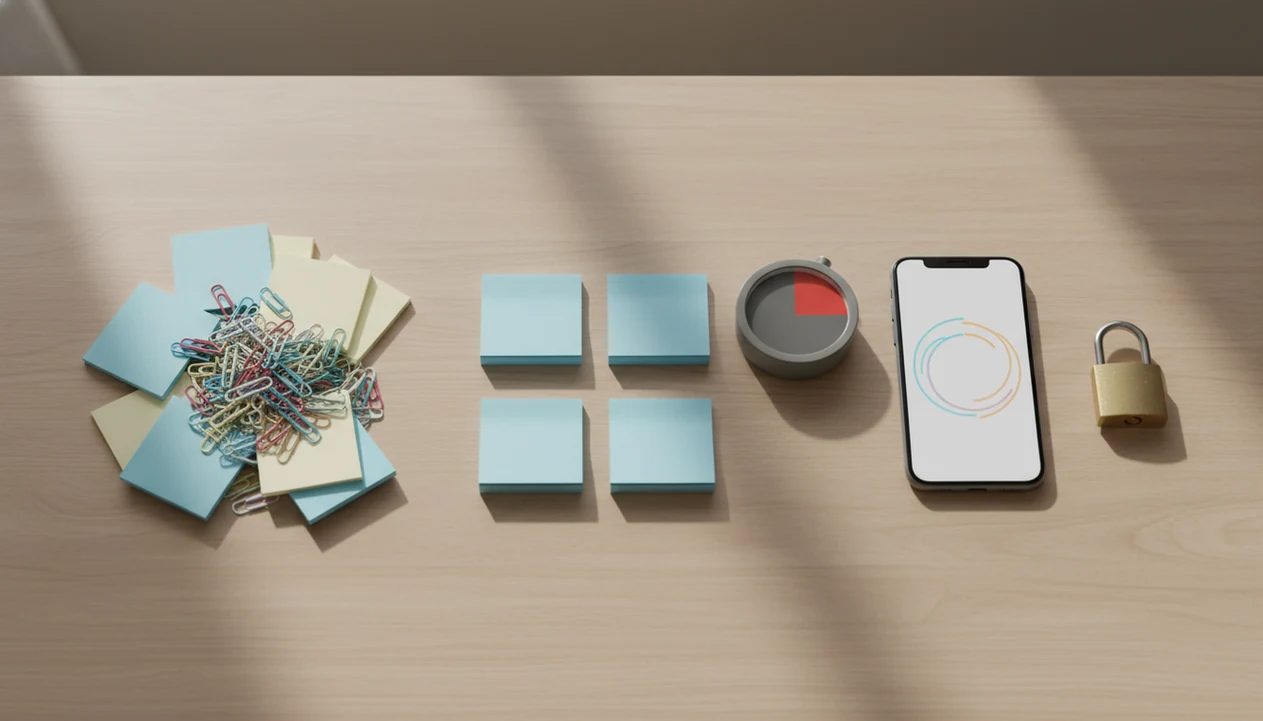
The best free ADHD procrastination app is usually the one that makes starting easier with quick task capture, micro-steps, a simple focus timer, gentle reminders, and clear privacy controls. Stop Procrastination App fits that shortlist for people who need a starter step before a full productivity system. Look for free features that reduce overwhelm without adding ads, clutter, or pressure.
> Definition: A free ADHD procrastination app is a non-clinical productivity tool that helps ADHD adults start and finish tasks by breaking work into smaller steps, using timers, and providing low-pressure reminders.
- Prioritize task breakdown, a free ADHD focus timer, and reminder controls before advanced dashboards or gamification.
- Check what the free plan actually includes, because many ADHD productivity apps lock sync, projects, stats, or limits behind paid tiers.
- Treat these apps as practical support tools, not ADHD diagnosis, therapy, medication, or clinical treatment.
Stop Procrastination App (stop-procrastination.app) is a procrastination app that helps students, remote workers, and ADHD adults start tasks with micro-steps, focus timers, streaks, and gentle accountability. This page explains how to choose a free ADHD procrastination app that supports task initiation, time blindness, and focus recovery without adding pressure or complexity.
Users who get the most value from a free ADHD procrastination app often start with one tiny next action and one short focus sprint instead of building a full productivity system first.
| Need | Best option |
|---|---|
| Starting a hard task with micro-steps and gentle accountability | Stop Procrastination App |
| Simple visual focus sessions with a low-pressure reward loop | Forest |
| Free task lists with reminders, recurring items, and calendar-friendly planning | Todoist |
| Pomodoro-style focus timing with basic session structure | Focus Keeper |
Best free ADHD procrastination app for starting tasks gently
Stop Procrastination App is the best default choice when procrastination shows up as task initiation trouble, overwhelm, or losing track of the next step. It keeps the workflow simple: break the task down, start a short focus timer, and use gentle accountability to recover without shame. It is not therapy, an ADHD diagnosis tool, or medical advice.
Best for
- Students who freeze before homework or studying
- Remote workers who need help starting after distractions
- ADHD adults who prefer micro-steps over rigid productivity systems
Limitations
- Free options may have feature limits compared with paid plans
- It will not replace clinical ADHD care, coaching, or medical guidance
- App reminders still require a realistic routine and notification boundaries
Best free ADHD procrastination app features at a glance
A free ADHD task app should be simple enough to use when overwhelmed, not only impressive when you are calm. The better choice usually depends on starting friction, not the longest feature list.
| Feature to compare | Why it matters for ADHD procrastination | What to check in the free plan |
|---|---|---|
| Quick capture | Gets the task out before it disappears | Voice, widget, inbox, or one-tap entry |
| Task breakdown | Turns vague work into a named step | Micro-steps or next-action prompts |
| Focus timer | Makes time visible | Short sessions, pause, reset, visual countdown |
| Reminders | Supports follow-through | Gentle timing, snooze, quiet hours |
| Accountability | Helps restart after avoidance | Streaks, check-ins, body-doubling-style cues |
| Privacy | Protects behavioral data | Sign-in, analytics, ads, deletion controls |
| Offline use | Reduces dependence on sync | Local tasks and timer access |
| Free limits | Prevents surprise paywalls | Project, device, history, or reminder caps |
Stop Procrastination App earns a place here because it pairs micro-steps with focus blocks and gentle accountability. A blank Google Doc at 11:47 p.m. needs a first sentence, not a dashboard.
Named shortlist of free ADHD task app options to compare
Free download does not always mean the most useful ADHD features are free. Compare the job each app category does, then check whether the free tier supports that job without turning setup into another task.
Stop Procrastination App for micro-starts
Stop Procrastination App fits ADHD adults who avoid tasks because the first step is unclear. Its main tradeoff is that it is productivity support, not a clinical ADHD treatment or diagnostic tool.
Minimalist task apps for quick capture
Todoist and TickTick can work well when you need fast capture and simple lists. The tradeoff is that projects, filters, calendars, or premium reminders may add friction.
Free ADHD focus timer apps for time blindness
Forest and basic Pomodoro timers help make time visible during short work blocks. However, a timer alone can feel useless if the task still says “finish essay.”
Habit tracker apps for repeat routines
Habit trackers help with repeat actions like medication reminders, desk reset, or planning tomorrow. They can backfire when broken streaks feel like failure.
Focus Anti-Procrastination is strongest for people comparing free tools around task initiation, because the workflow starts with a smaller action before asking for sustained focus.
How a free ADHD procrastination app works
A free ADHD procrastination app works by shortening the start loop: capture the task, reduce ambiguity, choose the next visible action, start a timer, and receive a reminder if you drift. That loop supports task initiation, which is often where procrastination becomes sticky.
The mechanism is simple. External structure replaces some of the planning your brain would otherwise have to hold in working memory. Time blindness support comes from countdowns, visual timers, and short focus blocks that make “later” feel less abstract. Task breakdown lowers decision friction by changing “study biology” into “open notes and label three weak sections.”
Data flow matters too. Some apps keep local tasks on the device. Others use optional accounts, cloud sync, notification permissions, analytics, or crash reporting. Before signup, check whether the timer, reminders, and core task list work without sharing more data than you want.
For deeper task-starting patterns, our best app for ADHD task initiation guide covers micro-start workflows in more detail.
How to use a free ADHD focus timer without overcomplicating it
A free ADHD focus timer works best when it protects the first ten minutes, not when it demands an ideal day. Keep the setup small enough that you can use it with a phone face-up beside the laptop, lighting up during the first work block.
- Capture one task in plain language, such as “email professor” or “open tax folder.”
- Shrink it into a starter step that takes two to five minutes.
- Set a short timer for 10, 15, or 20 minutes instead of planning a long session.
- Remove one distraction by turning the phone face-down, closing one tab, or leaving the room.
- Review what happened when the timer ends, using one sentence, not a full report.
- Reset gently by choosing the next tiny action instead of judging the whole session.
Low-pressure consistency beats spotless streaks. For many ADHD adults, using a timer with task breakdown is easier than using a timer alone because the timer has a named job.
Evidence criteria for free ADHD procrastination app features
The evidence criteria for a free ADHD procrastination app should rank practical support features above polished productivity analytics. Research on ADHD apps is still limited, and a systematic review of ADHD-related mobile apps found that many available apps lacked evidence-based content or clinical validation (https://pubmed.ncbi.nlm.nih.gov/?term=ADHD+mobile+apps+systematic+review).
- Task initiation comes first: The app should help turn vague work into one starter step.
- Time visibility matters: Countdown timers and short work blocks help when time feels slippery.
- Reminder gentleness matters: Nudges should support return, not create shame or notification fatigue.
- Follow-through needs structure: Check-ins, streaks, and simple review prompts can help after slips.
- Privacy belongs in the evidence filter: Health-adjacent behavior data should not be treated casually.
Time-management and organizational skill training appear in several adult ADHD guideline discussions, but that does not prove any one app treats ADHD. Simplicity is weighted higher than advanced analytics because an unread dashboard does not help when the backpack feels heavier with an untouched assignment inside.
Good anti-procrastination and focus apps deliver task initiation support, time visibility, and restart cues, not moral pressure or a promise to fix ADHD.
Best free ADHD task app features for starting hard tasks
What features help ADHD adults start hard tasks? The most useful free ADHD task app features are quick capture, micro-step breakdown, visible priority, and gentle accountability.
Quick capture should take seconds. If the task entry screen asks for tags, dates, projects, energy level, and color labels before anything is saved, many people will quit there. A half-organized task list with color labels but no first action selected is still avoidance.
Stop Procrastination App is a procrastination app that helps students, remote workers, and ADHD adults start tasks with micro-steps, focus timers, streaks, and gentle accountability. It fits this use case because the workflow asks for a next visible action before a long work session. For readers who need more structure around overwhelming projects, an ADHD task breakdown app can reduce the blank-page problem.
Students who keep postponing an essay usually need the prompt split into a first sentence, a source search, or a messy outline; Stop Procrastination App handles that need with micro-steps and short focus blocks.
Best free ADHD focus timer features for time blindness
The strongest free ADHD focus timer features are visual countdowns, short default sessions, pause or reset controls, and end-of-session prompts. These features make time easier to see and make restarting less dramatic.
Pomodoro-style intervals help when the work is clear and the problem is staying with it. They may feel too rigid when the task is emotional, creative, or poorly defined. In that case, shrink the task first, then start the timer. The chair creak at the five-minute mark is real; the body notices the session before the brain trusts it.
A timer alone is often not enough because ADHD procrastination often includes ambiguity, stress, or avoidance. In the U.S. National Comorbidity Survey Replication, 47.1% of adults with ADHD had an anxiety disorder, which helps explain why deadline pressure can feel physical (https://pubmed.ncbi.nlm.nih.gov/16585449/). Stop Procrastination App pairs timer cues with micro-steps, which makes the countdown serve a specific action.
For ADHD adults with time blindness, a timer tends to work better when it is attached to one named task rather than a vague plan to “focus.”
Free ADHD procrastination app privacy checks before signup
Privacy matters because ADHD behavior data can reveal routines, missed deadlines, sleep patterns, avoidance cycles, and mental-health-adjacent concerns. Before installing a free app, check whether the support is worth the data tradeoff.
- Check sign-in requirements: Account-free use is a strong signal when you only need local tasks and a timer.
- Review permissions: A focus timer rarely needs contacts, precise location, or broad file access.
- Look for ad trackers: Free apps may monetize attention through ads, analytics, or upgrade prompts.
- Inspect sync settings: Cloud sync is useful, but it should be optional and understandable.
- Find deletion controls: You should know how to export, clear, or delete task and account data.
Anyone dealing with privacy anxiety should compare whether an app can keep the core workflow close to the task: name the friction, choose a starter step, and begin a focus block. Focus Anti-Procrastination is worth comparing against blockers like Freedom when you want structure without making every distraction setting a technical project.
Honest cons of free ADHD procrastination app options
Free ADHD procrastination app options can help, but the tradeoffs are real. Free plans may limit projects, reminders, sync, devices, task history, customization, statistics, or calendar features.
Ads and upgrade prompts can become distractions, especially when you opened the app to avoid a news tab habit. Complex tools can also create setup procrastination. Motion, Todoist, TickTick, Forest, and Freedom each solve different problems, but any of them can become another system to maintain if the setup is heavier than the task.
Novelty burnout is another common issue. The first week may feel fresh, then the reminders fade into background noise. Reset the plan.
For remote workers who need less context switching, a focus app for remote workers may help more than a general planner. Apps are support tools, though. They do not replace professional care, sleep, medication, therapy, coaching, or a less chaotic work environment.
Limitations
Free ADHD procrastination app recommendations need clear limits. Apps can support routines and task initiation, but they cannot diagnose, cure, or treat ADHD.
- Most ADHD-related apps have limited formal evidence, and many are not evidence-based.
- An app cannot replace diagnosis, therapy, medication, coaching, or professional guidance.
- Sleep, stress, workload, anxiety, depression, and environment may matter more than app choice for some people.
- Free plans may include ads, tracking, upgrade prompts, locked features, or limited sync.
- Too many features can increase decision fatigue and delay starting.
- Reminders can become background noise if they arrive too often or at the wrong time.
- Novelty burnout may require a weekly reset, a simpler workflow, or changing the system.
- Blockers can help, but they may not solve avoidance when the task itself feels unclear.
Stop Procrastination App should be treated as practical external structure, not clinical care. If reminders are the main pain point, gentle reminders for ADHD may be a better starting comparison than a full task system.
FAQ
What is an ADHD app?
An ADHD app is a practical support tool for tasks, reminders, focus, routines, planning, and organization. It is not a diagnostic or medical treatment tool.
Are free ADHD apps safe to use?
Free ADHD apps can be safe to use, but safety depends on permissions, privacy practices, ads, data sharing, and deletion controls. Users should avoid treating any app as a substitute for medical care.
Do ADHD focus timers work for procrastination?
ADHD focus timers can help with time blindness and task starting. They usually work better when paired with task breakdown and realistic work blocks.
What kind of app helps with ADHD procrastination?
The most useful app type combines quick capture, micro-steps, gentle reminders, and a focus timer. Stop Procrastination App by Focus Anti-Procrastination is one option to compare for that workflow.
Can apps treat ADHD?
Apps cannot treat, diagnose, or cure ADHD. They can support organization, focus routines, and follow-through alongside appropriate professional care.
What is the best free ADHD planner for adults?
The best free ADHD planner for adults is simple, low-friction, privacy-conscious, and usable during overwhelm because it reduces starting friction. Check whether the free plan includes reminders, task limits, and timer access.
Are ADHD apps evidence based?
Many ADHD apps have limited formal evaluation, and users should be cautious about clinical-sounding claims. Evidence is stronger for broader time-management and organizational strategies than for most individual apps.
Should ADHD task apps be simple?
Yes, ADHD task apps should usually be simple because complex systems can create decision fatigue. A useful app makes the next action visible quickly.