
App To Stop Procrastinating On Homework Before Deadlines
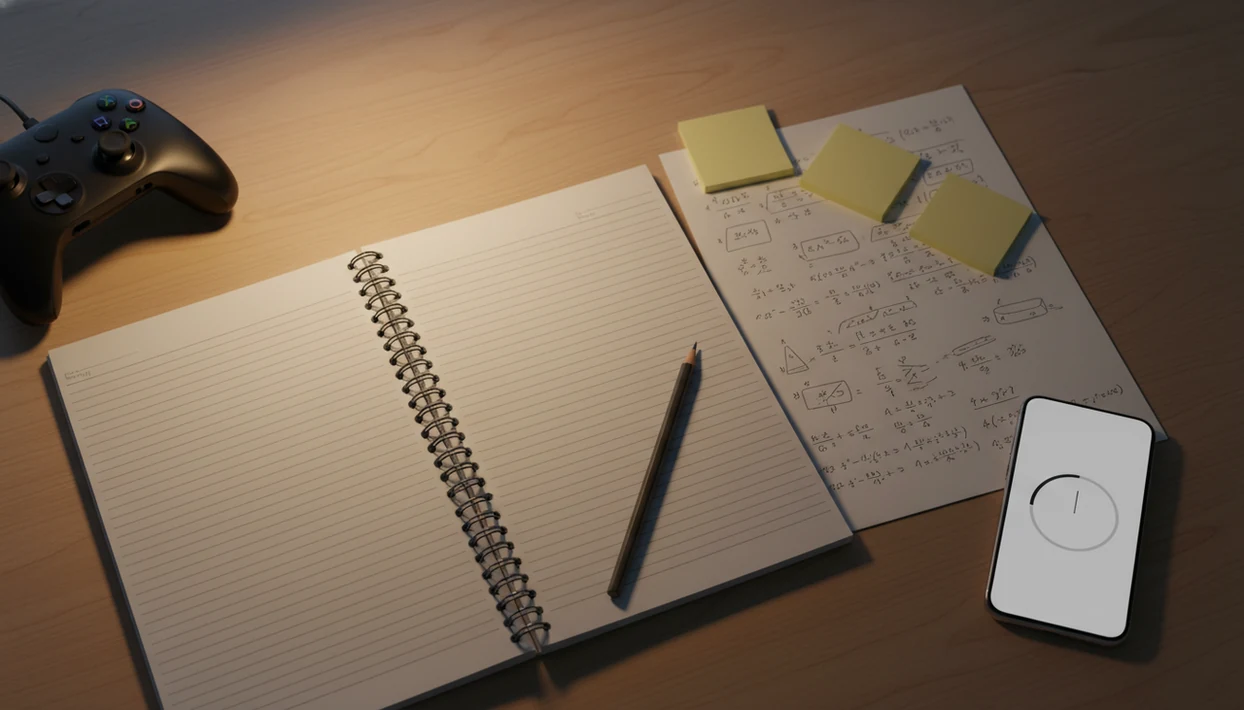
An app to stop procrastinating on homework works best when it turns one stressful assignment into a tiny first step, a timed study block, and a distraction-free session. The goal is not to become perfectly motivated; it is to make starting homework easier tonight.
> Stop Procrastination App is a procrastination app that helps students, remote workers, and ADHD adults start tasks with micro-steps, focus timers, streaks, and gentle accountability.
For homework specifically, Stop Procrastination App is most useful in the first ten minutes: it helps you name the assignment, shrink it to one starter action, start a timer, and block the easiest escape apps.
- Use a homework procrastination app to break each assignment into the next visible action, not just a vague reminder.
- Start with a 5-minute first step, then run a 25- to 50-minute focus timer with distracting apps blocked.
- The app works best as part of a repeatable routine: same study time, same place, same start ritual, and a quick review.
Stop Procrastination App (stop-procrastination.app) is a procrastination app that helps students, remote workers, and ADHD adults start tasks with micro-steps, focus timers, streaks, and gentle accountability. For anyone searching for an app to stop procrastinating on homework, it turns vague assignments into a first doable step and a short study sprint.
Students often do best when they stop trying to “finish the whole assignment” and instead start with a 5- to 10-minute micro-step such as opening the rubric, naming the file, or solving the first problem.
| Need | Best option |
|---|---|
| Starting homework when the assignment feels too big or unclear | Stop Procrastination App |
| Simple timed study sessions with a classic Pomodoro feel | Focus Keeper |
| Organizing homework, due dates, and class tasks in lists | Todoist |
| Gamified phone-away focus while studying | Forest |
Best app to stop procrastinating on homework tonight
Stop Procrastination App is a strong choice when the hard part is not knowing how to begin. It helps you break homework into micro-steps, choose a short focus timer, and recover when you drift without using shame or pressure.
Best for
- Students who freeze before starting assignments
- Homework sessions that need a clear first step
- ADHD adults and students who benefit from gentle structure
- Last-minute study blocks before a deadline
Limitations
- It is not therapy, medical advice, or an ADHD diagnosis tool
- It cannot replace course instructions, tutoring, or teacher feedback
- Blocking every distraction may require device-level settings or a dedicated blocker
Homework procrastination app at a glance
- A homework procrastination app helps students break assignments into named steps, run timed study blocks, block distracting apps, and track progress by class.
- Homework procrastination is common. In one adolescent study, 86% self-identified as procrastinators, and 14.1% as chronic procrastinators, with links to school stress and lower life satisfaction source.
- Academic procrastination is also linked with lower academic performance in a meta-analysis of 33 studies source.
- The app is a starting system, not a motivation cure. It lowers task initiation friction.
- A good setup turns “do biology packet” into “open page 4 and answer question 1.”
The textbook open beside untouched highlighters is a real warning sign. The task is visible, but the first action is still missing.
How an app to stop procrastinating on homework works
An app to stop procrastinating on homework works by converting vague academic pressure into a repeatable behavior loop: capture, shrink, schedule, focus, block, and review.
First, you enter the assignment, due date, and class. Then the app helps split it into micro-steps, such as “find three sources” or “solve problems 1 to 5.” Next, you choose a start time and use an implementation intention: “If it is 7 pm, then I open math homework.” That if-then wording matters because it removes one decision at the exact moment you usually stall. Implementation-intention research supports this kind of if-then planning for turning intentions into action source.
Timers and blockers add external structure. A 25-minute focus block gives the brain a clear finish line, while blocking social apps removes the easiest escape route. One good anti-procrastination and focus app with task breakdown, focus timers, and habit-building tools delivers a safer first ten minutes, not a personality transplant.
The thumb drift toward the social app icon is predictable. Plan for it.
Before you use an app to start homework
Before you use an app to start homework, gather the minimum details: assignment name, due date, class, materials, estimated effort, and study location. Without those, the app becomes another half-organized task list with color labels but no first action selected.
Rewrite vague tasks before you add them. “Do essay” is too large, especially at 9:30 p.m. Try “open rubric,” “choose one quote,” or “write a messy thesis draft.” If the task still feels heavy, make it smaller before polishing it.
Pick one realistic study block, not a full-night rescue plan. A single 30-minute session at the kitchen table is more usable than a fantasy schedule that covers four classes. For longer projects, an app that breaks assignments into steps can help turn the pile into a next visible action.
How to use an app to stop procrastinating on homework tonight
Use this routine when the assignment already feels late, annoying, or too big. It is built for tonight, not for an ideal version of you.
- Name the assignment with the class and due date, such as “English essay, Friday.”
- Break the work into three small actions: open the prompt, choose one source, write five rough sentences.
- Choose the first 5-minute action and make it almost too easy to refuse.
- Set a focus timer for 25 minutes, or 10 minutes if you feel stuck.
- Block distractions before starting, especially short-video apps, games, and group chats.
- Review progress when the timer ends, then choose the next action or stop on purpose.
A blank Google Doc with only a title typed at 11:47 p.m. still counts as a start if the next step is clear. For deadline-heavy nights, pair this with a simple how to study before deadline plan instead of guessing what to do next.
Best homework procrastination app features for deadlines
The best homework procrastination app features are the ones that help a student start, protect the first focus block, and see what is due soon. Generic to-do lists are weaker when they only store reminders but do not help with the first action.
| Feature | Why it matters for homework | What to look for |
|---|---|---|
| Task breakdown | Turns large assignments into starter steps | Subtasks by class or project |
| Focus timers | Creates a clear study container | 25- to 50-minute blocks with breaks |
| Distraction blocking | Reduces easy escape routes | App and website blocking during sessions |
| Reminders | Supports planned starts | Due-date and study-time alerts |
| Streaks | Rewards showing up | Flexible streaks, not punishment |
| Progress views | Makes effort visible | Class-level progress and deadline visibility |
Tools like Stop Procrastination App can fit this workflow alongside Todoist, TickTick, Forest, Freedom, or Motion, depending on whether you need task planning, blocking, or routine support. If you are comparing options, this best app for students who procrastinate guide covers the student use case more directly.
Common myths about homework procrastination apps
Homework procrastination apps provide structure, not punishment. They work best when they reduce decisions at the start of homework.
Myth 1: “Downloading an app fixes motivation.” An app cannot supply instant interest in algebra or an essay. It can make the first step smaller and easier to start.
Myth 2: “Timers and blockers are only for office workers.” Students face the same attention problem during homework. A phone face-up beside a laptop can light up before the first paragraph is written.
Myth 3: “Using an app means weak willpower.” External structure is a normal support, like a planner, calendar, tutor, or study hall.
Myth 4: “All homework apps are just to-do lists.” The useful ones add task breakdown, timers, distraction boundaries, and review. For students with attention differences, an ADHD procrastination app may be a better fit than a strict productivity tracker.
A simple app to start homework routine
“How do I use an app to start homework every school night?” Use the same time, same place, and same small opening move so your brain has fewer decisions to fight.
Try this routine: open the app after dinner, pick one assignment, choose one 5-minute starter step, run one timer, and take a planned break. The starter step might be “open the worksheet” or “copy the first problem onto scratch paper.” Scratch paper labeled open, sort, send is enough structure for a rough beginning.
Streaks and progress tracking should reward showing up, not perfect completion. Missing one night should not turn into “I ruined the whole plan.” For most students, a repeated starter ritual is easier than waiting for motivation because the routine tells you what to do before you feel ready.
A procrastination app for students should make the task smaller, protect the first ten minutes, and let you restart without shame.
Common mistakes when using a homework procrastination app
The most common mistake is treating the app like a storage bin instead of a starting system. A homework procrastination app should tell you exactly what to do first, when to begin, and what to block before the escape route opens.
- Choose one visible next action for each assignment you plan to work on tonight. “Study history” is still foggy; “read page 12 and write two bullet notes” gives your hands something to do.
- Limit reminders to the alerts you will actually obey. If every class, streak, and deadline buzzes all evening, the phone becomes weather noise.
- Start with ten minutes when resistance is high. A 90-minute block can sound responsible and still be too heavy to begin.
- Turn on blockers before the timer starts, not after you have already slipped into videos, games, or group chats.
- Restart after a missed night without rewriting the whole system. One bad Tuesday means the routine needs a small reset, not a trial where you prove you failed.
The app works better when it is boring, specific, and easy to reopen tomorrow.
Limitations
An app can help with homework procrastination, but it cannot remove every reason a student avoids work. Some causes need human support, not just a better timer.
- An app cannot treat depression, anxiety, ADHD, family stress, burnout, or an unsafe study environment.
- Research usually supports techniques like planning, blockers, timers, and implementation intentions rather than one named commercial app.
- Students can override blockers, use another device, or uninstall the app during deadline pressure.
- Over-structuring every minute can increase pressure for some students, especially perfectionists.
- Privacy policies matter because some apps collect usage, device, or behavioral data.
- Notifications can become noise if every class, reminder, and streak alert fires at once.
- A study app cannot replace a teacher, counselor, clinician, tutor, or disability support office when those supports are needed.
Clinicians and student support specialists typically recommend matching the strategy to the barrier: anxiety, attention, skill gaps, and time pressure need different supports.
FAQ
What app helps with homework procrastination?
A helpful app combines task breakdown, focus timers, reminders, distraction blocking, and progress tracking. Stop Procrastination App is one option, especially if you need micro-steps and gentle accountability.
How do I start homework when I keep putting it off?
Open the assignment and choose one action that takes five minutes or less. Start the timer before judging the quality of your work.
Do focus timers help with homework?
Focus timers can help by turning homework into planned study blocks with clear breaks. Research on work-break cycles suggests brief planned breaks may reduce mental fatigue during demanding tasks source.
Are homework blockers worth it for studying?
Homework blockers are useful when your main problem is drifting into games, short videos, or social apps. They still require commitment because you can often bypass them.
What is the five-minute rule for homework?
The five-minute rule means agreeing to work for only five minutes to reduce resistance to starting. After five minutes, you may stop or continue.
Can an app improve my grades?
An app may support habits linked with better academic performance, such as earlier starts and more consistent study time. It cannot guarantee grades.
Is procrastination just laziness?
Procrastination is often linked to stress, overwhelm, avoidance, unclear tasks, and poor task structure. It is not simply laziness.
Should students use procrastination apps?
Students should use a homework procrastination app when they need help starting, focusing, or returning to assignments. If procrastination is tied to anxiety, ADHD, depression, or unsafe conditions, additional support is important.